|
 |
Golf League Software Tour
Here is a brief tour explaining how to get started.
Login To Your Golf League Account
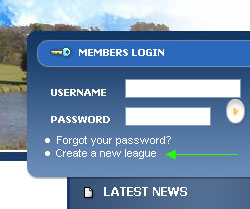
On the front page of Golf League is a blue member login box.
After you successfully create your account, this is the same place you and your members will log in to enter your own golf league member area.
To create an online golf league, just click the link in that box labeled "Create a new league" and purchase the correct package for your league.
Once your golf league has been created, follow the link back to the login box and login to your new account.
|
|
Getting Your Golf League Started
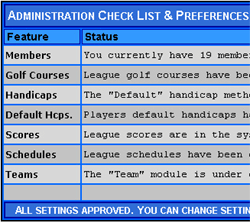
When you log in to your new golf league account you will be logged in as the golf league software administrator. When you first login to the site you will be on a welcome page that will explain what to do. An administrative check list will guide you through the set up process.
After initial set up, your ready to go! GolfLeague will track scores, points and handicaps. You can email every player with an email address at the touch of a button and every player will have his/her own password protected area to keep track of league results.
|
|
The Golf League Tool Bars
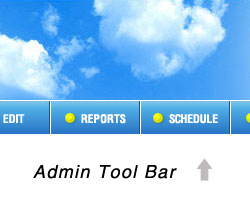
One of the first things you will want to familiarize yourself with is the Admin Tool Bars. The top tool bar contains links to all the general functions for managing your golf league. We try to put your most used golf league functions and reports here.
A second side tool bar has more specialized links including administrative functions like the "Golf League Control Panel". You may want to just browse the different links on both toolbars to get yourself familiar with all the administrative functions.
Your golf league members will also have navigation bars but without administrative software. |
|
At this point you may want to check out a live demo of the golf league software.
|
|
 |
|